Flow Details and Settings
The top of the builder shows the flow name, description, primary data type, and whether the flow is active.

Edit the Flow Details
Use the edit icon beside the flow name to change:
- the flow name
- the description
- tags
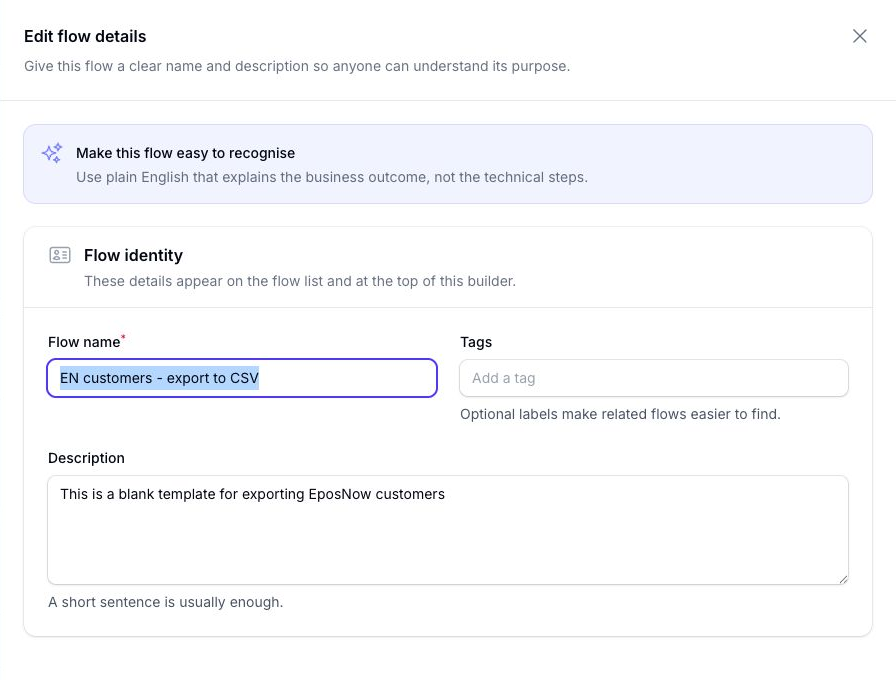
Use the name and description so the purpose of the flow is obvious when you come back to it later.
Tags help you organise and find flows from the My Flows page. Once tags are added, you can use them to filter the flow list.
The primary data type is fixed by the template you selected when the flow was created.
Flow Settings
Choose Settings at the top right of the builder to control whether the flow can run and what happens when someone starts it manually.
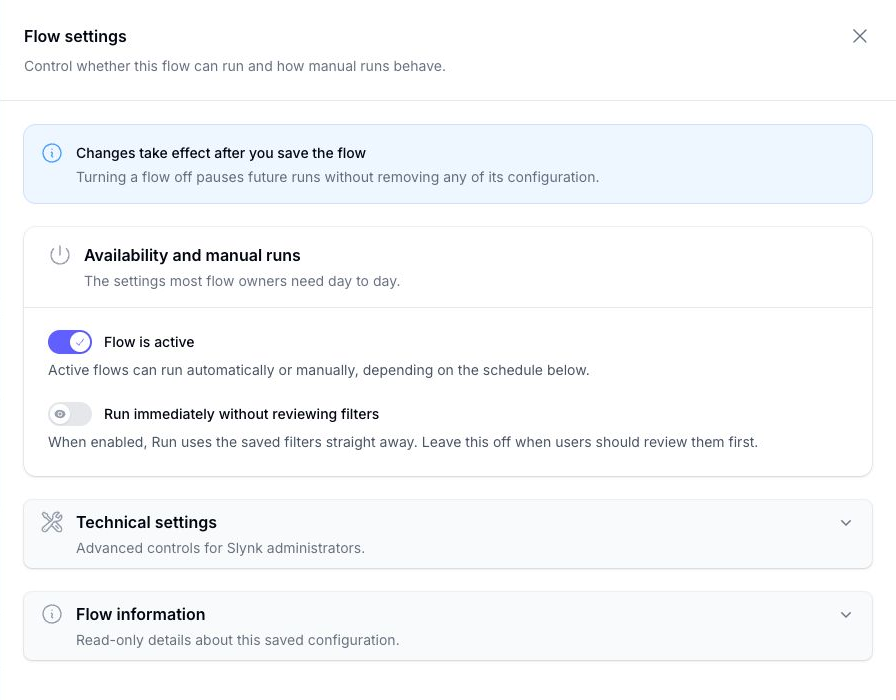
The main settings are:
- Flow is active: active flows can run manually or automatically, depending on the schedule
- Run immediately without reviewing filters: starts a manual run with the saved filters instead of showing the filter review first
Turning a flow off pauses future runs without removing its configuration.
Changes in this panel take effect after you save the flow.
Flow Information
The Flow information section in the Settings panel shows:
- when the flow was created
- when it was last updated
- the current settings version
This section is read-only and is collapsed by default.
Timezone
The timezone is set in the Schedule panel because it controls when scheduled runs happen and how datetime file names are calculated.
Export Email Recipients
Email recipients are set in Edit delivery and file settings when the delivery destination is Send as email attachment.
You can add more than one recipient and customise the email content.
For details, see Export Fields and Delivery and Email Customisation.