Templates and Solutions
Every flow starts from a template.
When you click Create Flow, Flow shows ready-to-use flows and build-your-own starting points that match your account.
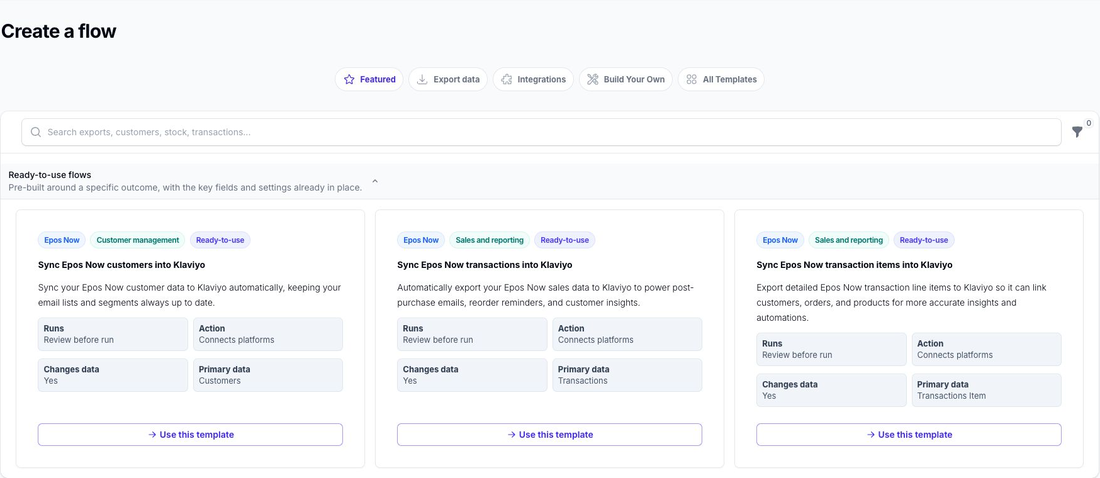
Ready-to-use Flows
A ready-to-use flow is pre-configured for a particular outcome.
Use a ready-to-use flow when:
- you want a faster starting point
- your use case is close to one of the suggested outcomes
- you want to review and adapt an existing pattern
Build Your Own
The Build Your Own tab contains simpler starting points for individual data types.
Use Build Your Own when:
- you know exactly what you want to build
- you want more control over the filters and export fields from the start
- you want to create a flow for a specific internal process
Solutions
The separate Solutions page contains multi-flow solutions. These combine several flows to handle a broader workflow.
Use a solution when the outcome requires several coordinated flows rather than one standalone flow.
Choosing the Right Starting Point
Use the search and filters in the template picker to narrow down the available options.
If you already know the data type you want to work with, Build Your Own is often the clearest place to start.
If you are aiming for a common outcome, check the ready-to-use flows first. For a broader workflow involving several flows, check the Solutions page.
What Happens Next
Once you select a template, Flow creates the flow and opens the builder so you can review it before you activate it. Solutions guide you through installing the flows included in that solution.
Continue with Edit Flow for the next step.