Email Customisation
Use Email Customisation when an export flow should send a tailored email instead of the standard Flow email template.
This is useful when you want to send exports to stakeholders with a specific subject, explanation, summary, or signature.
Email customisation is currently in early access. If you would like to use it, contact support so we can enable it for your account.
Standard Email Template
Open the flow and choose Edit delivery and file settings.
When Send as email attachment is selected and Customise email is turned off, Flow sends the standard export email.
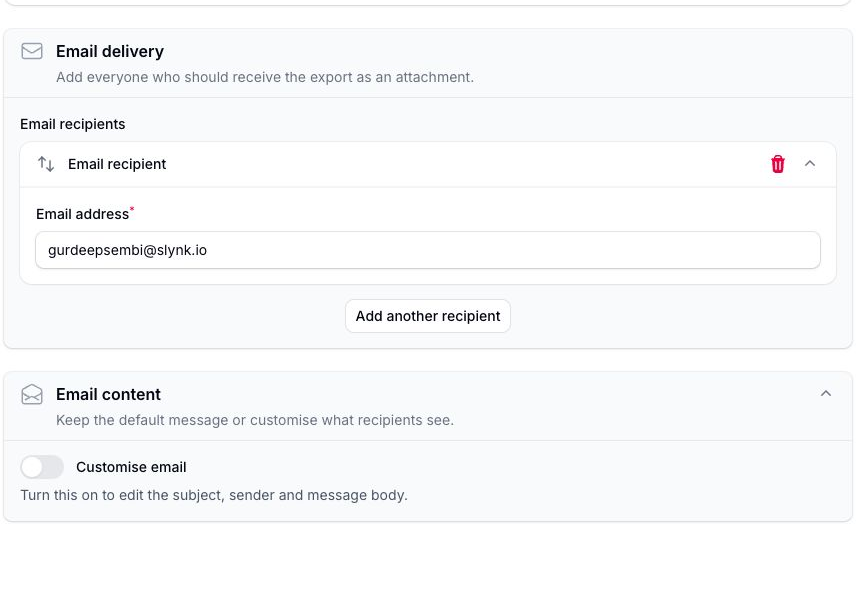
The exported file is still attached to the email using the export format selected in the flow, such as CSV, XML, or JSON.
Custom Email Content
Expand Email content, then turn on Customise email to edit the content.
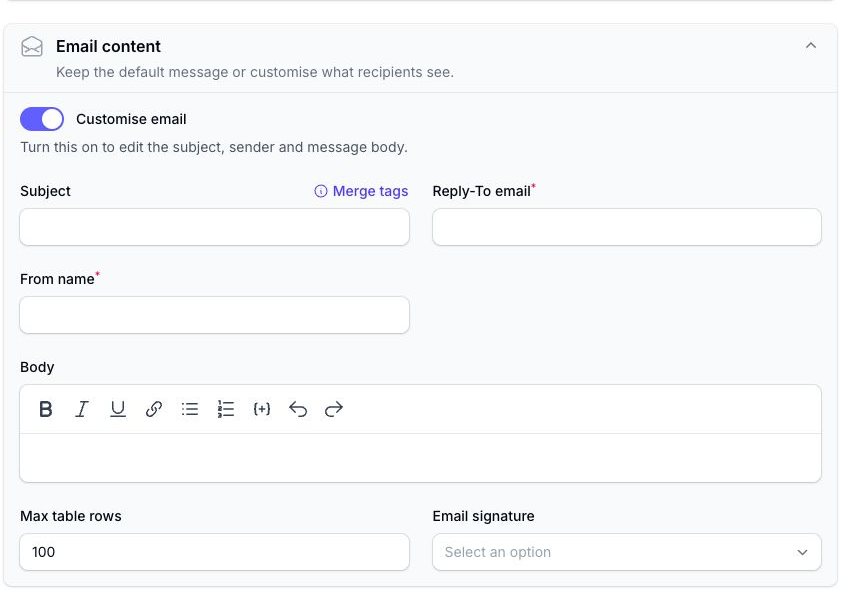
You can set:
- Subject: the subject line for the email
- Reply-To email: where replies should be sent
- From name: the sender name shown to the recipient
- Body: the email body
- Max table rows: the maximum number of exported rows to show inside the email body when using the table merge tag
- Email signature: a saved signature to append to the email
The email is sent from a Slynk notifier email address. The From name is shown to the recipient, and replies go to the Reply-To email address.
Merge Tags
Merge tags let you insert flow and export details into the subject or body.
Examples include:
{{ Run ID }}{{ Flow ID }}{{ Flow Start Datetime }}{{ Flow End Datetime }}{{ Flow Filters }}{{ App Name }}{{ App Run Status }}{{ CSV Download URL }}{{ Flow CSV Table }}
Use {{ Flow CSV Table }} when you want to include exported rows as an inline HTML table in the email body.
The Max table rows setting controls how many rows can be shown in that inline table. The full exported file is still attached to the email, even when not all rows are shown in the body.
Email Signatures
You can create reusable email signatures and select them from the export email settings.
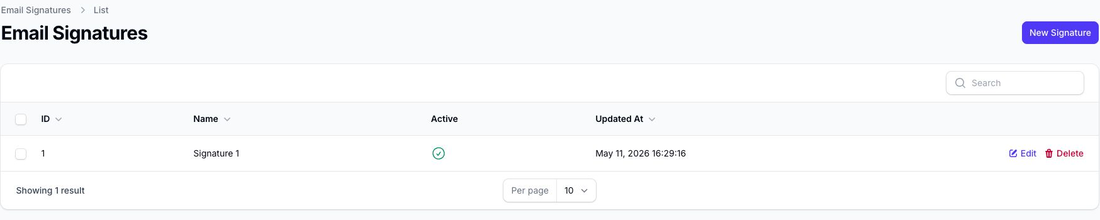
Open Email Signatures from the left-hand navigation to create or edit a signature.
Each signature has:
- a name
- an active toggle
- signature HTML
Signatures are appended to custom flow emails when selected. Merge tags are not applied to signatures.