Updating payment details on the EposNow App Store
Choose the guide for your product
This article covers Epos Now WooCommerce Integration, Order Templates, and existing Flow/Morph subscriptions still billed through Epos Now. New or migrated Flow and Morph subscriptions are billed through Stripe: see Manage your subscription and the Flow EN connection guide or Morph EN connection guide for locations and uninstall steps.
EposNow have the Subscriptions Hub to manage all your subscriptions.
You can see your subscriptions and their status on the subscriptions hub, and you can also update the payment details for the apps you have installed.
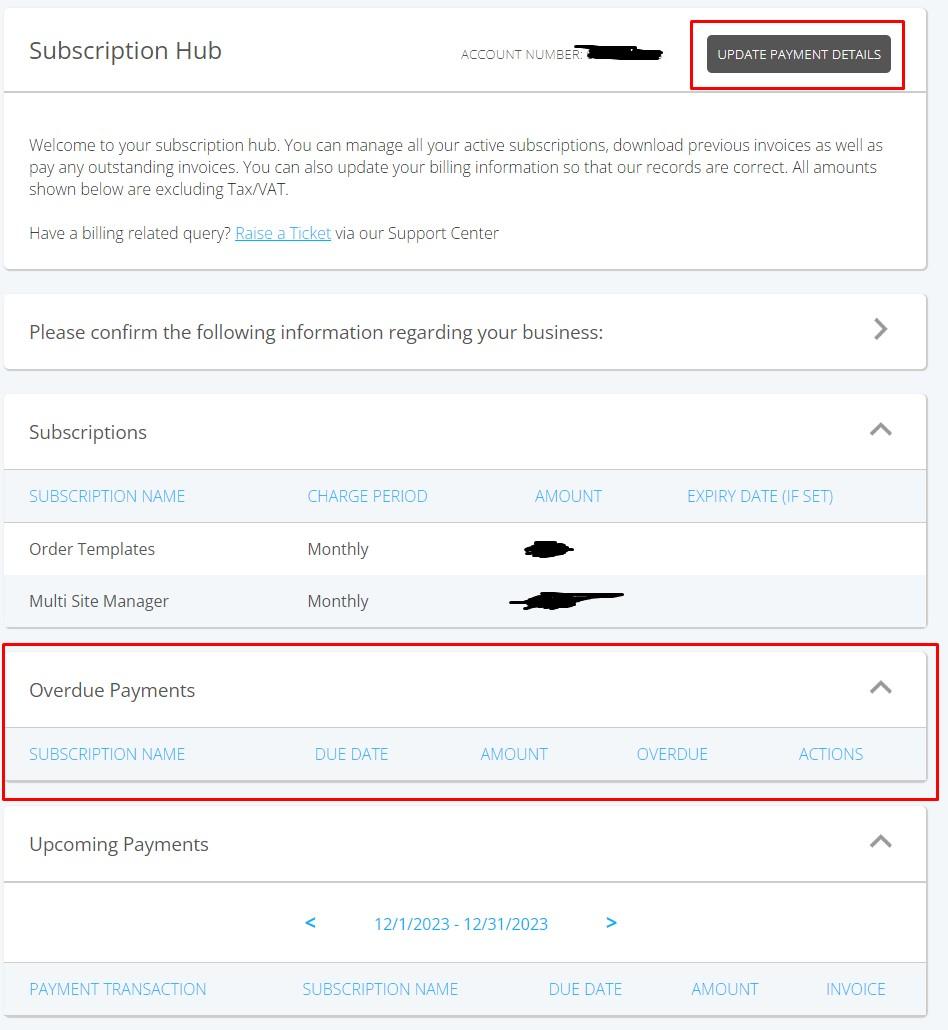
To update your payment details:
- Login to the EposNow back office
- Go to the subscriptions hub by selecting Setup > Subscriptions
- Click on the Update Payment Details button at the top right of the screen as shown on the screenshot above
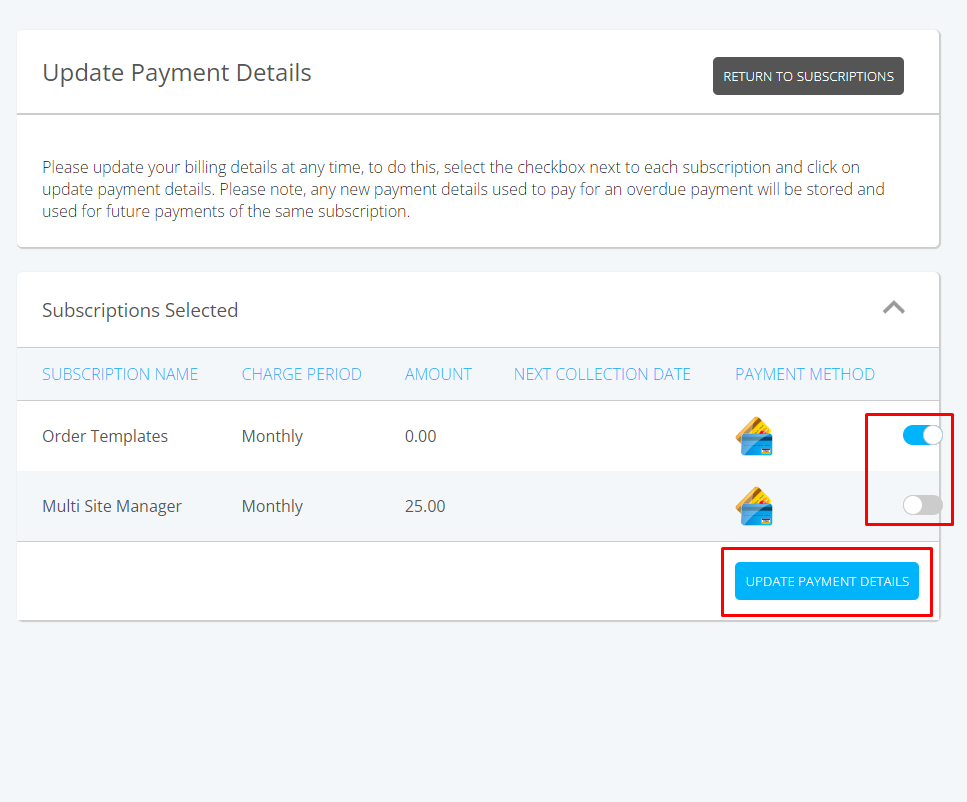
- Select the apps for which you want to update the payment details and click on Update Payment Details at the bottom as shown in the screenshot below